
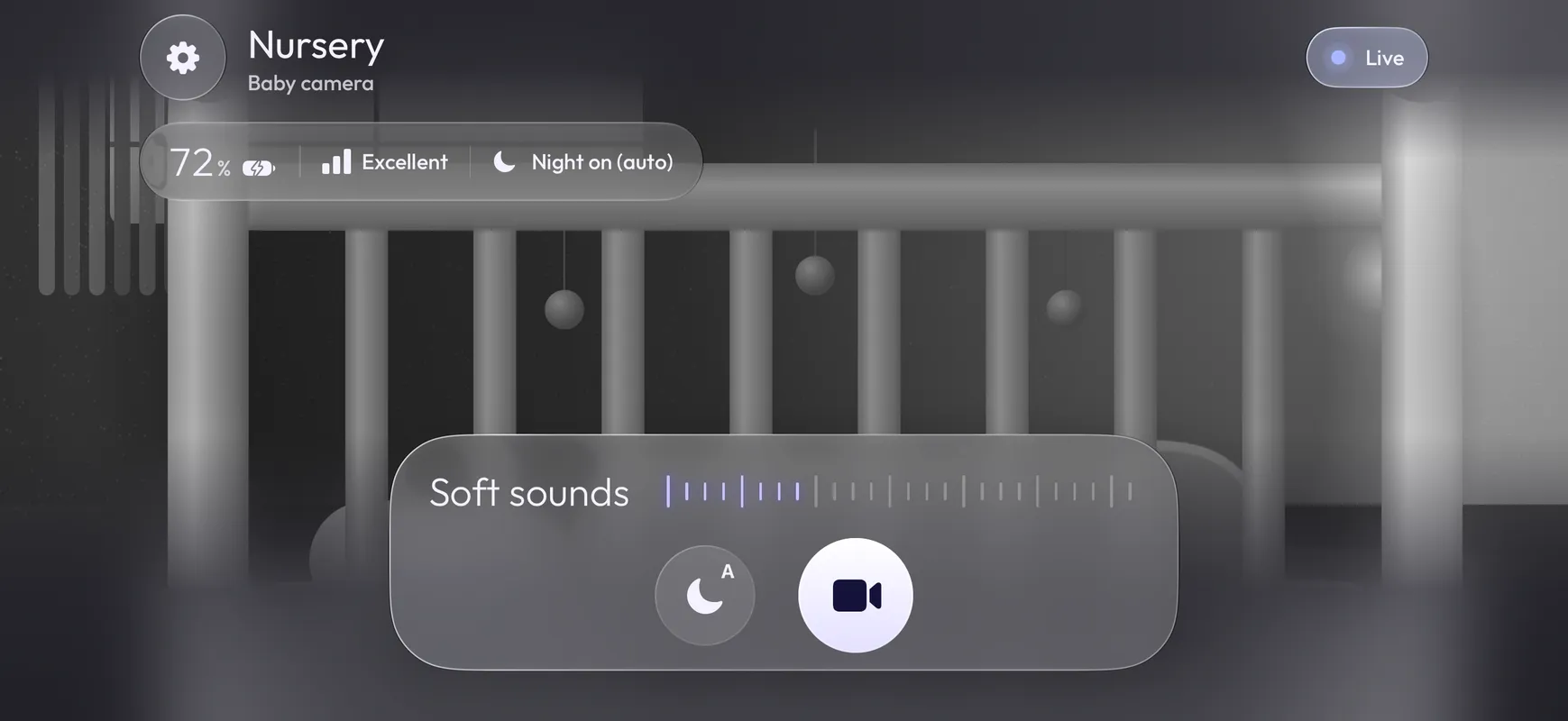
Live video and sound
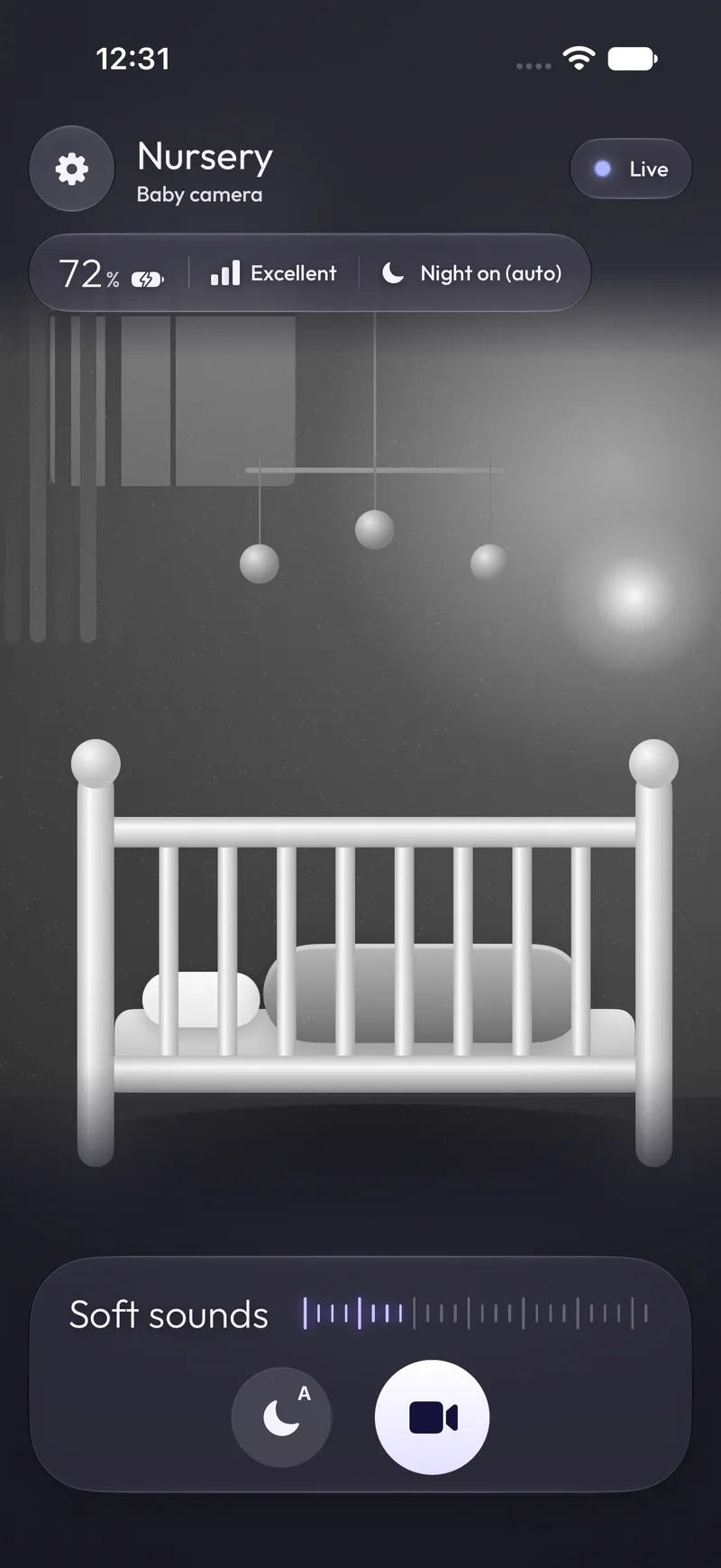
See and hear the nursery as it happens. Lock your phone and the sound keeps playing, so you can listen with the screen off.
Baby monitor for iPhone
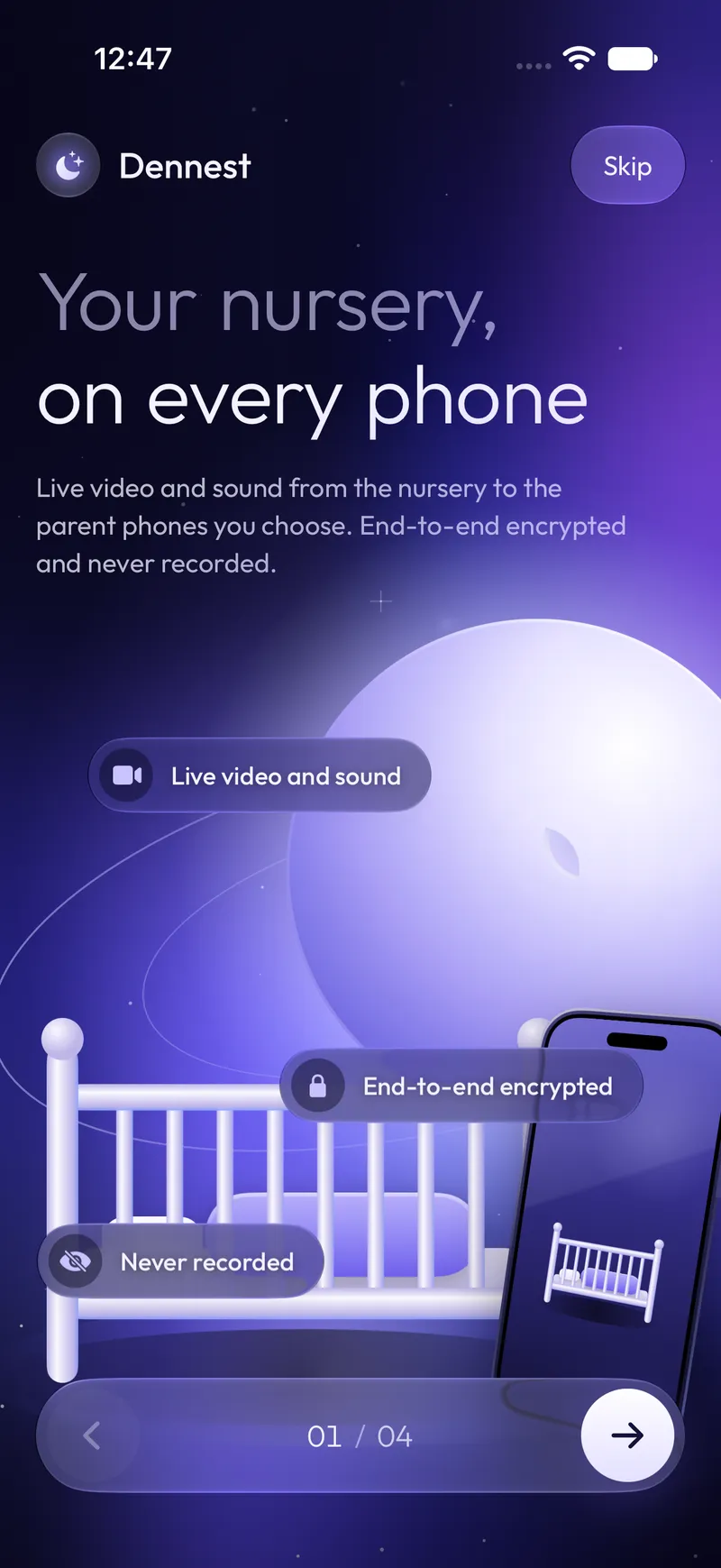
Put a spare iPhone in the nursery and watch from your own. Live video and sound go straight to the parent phones you choose, end-to-end encrypted and never recorded.

Coming soon to the App Store
What it does
The baby phone streams over Wi-Fi or mobile data, and your phone picks it up wherever it has a connection.
See and hear the nursery as it happens. Lock your phone and the sound keeps playing, so you can listen with the screen off.
Video and sound are encrypted on the baby phone, and only the phones in your nursery hold the key. The service that relays the stream only ever sees encrypted data. Not even we can watch.
Dennest streams live and keeps nothing. No clips, no history, no cloud storage.
Brightens the picture in grayscale when the room is dark. On Auto it switches on by itself, and you can change it from your phone.
Add as many parent phones and iPads as your family needs. Everyone can watch at the same time.
Lock Dennest with Face ID or your passcode, so a borrowed phone does not open the nursery.
Keep the nursery in a small window while you use other apps.
Get a notification when the nursery stays loud for a while, as long as Dennest is open or running in the background on your phone. It also tells you when the baby phone's battery runs low or its connection drops.
How it works
No sign-up, no email address, no account. Your phones form a private nursery of their own.
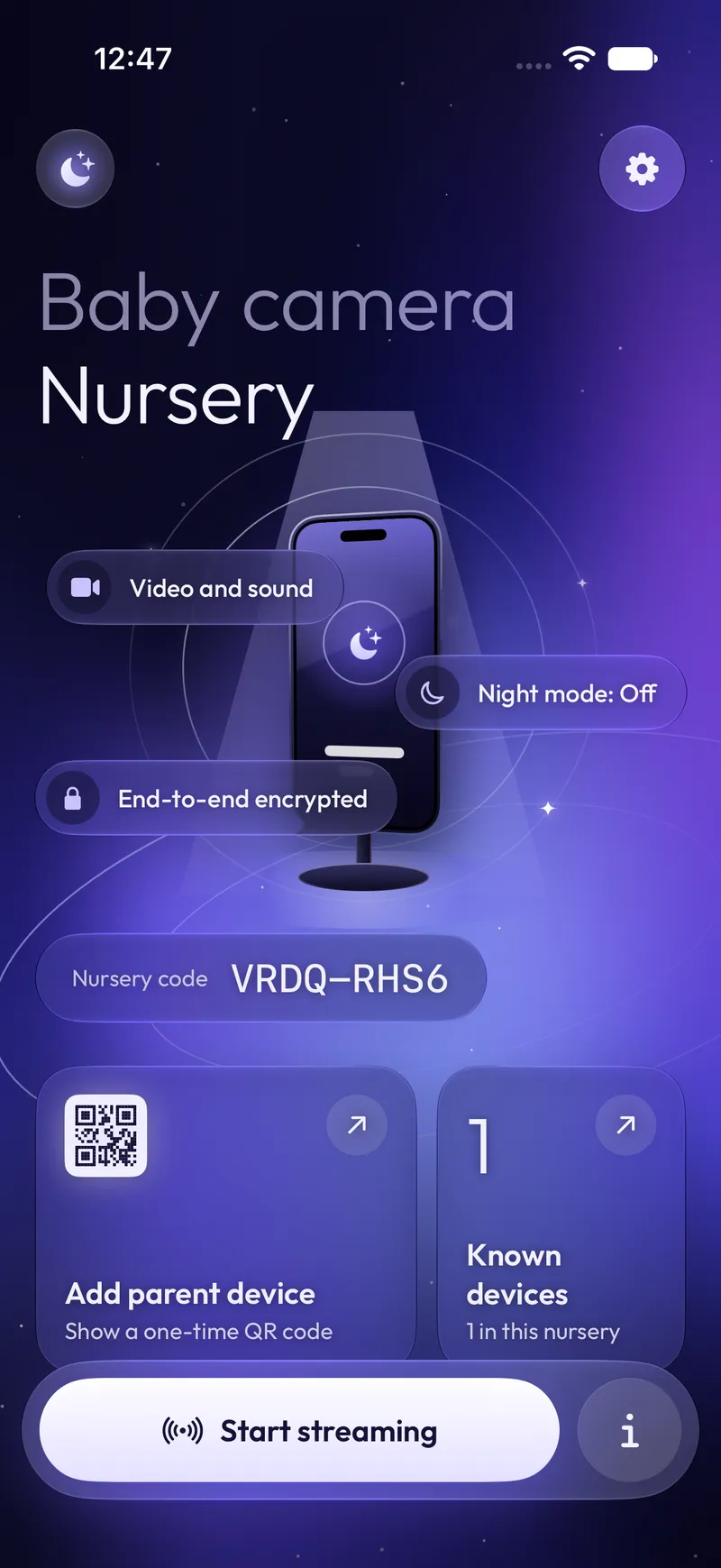
Open Dennest on the phone that stays in the nursery, choose Baby camera and create your nursery. Plug it in and place it at least a metre (about 3 feet) from the crib.
On the baby phone, tap Add parent device. On your phone, choose Parent viewer and scan the QR code. Each code works once and expires after five minutes.
Tap Start streaming on the baby phone and keep Dennest open there. Your phone shows the nursery live, and the screen of the baby phone dims while it streams.
You can also join by typing the nursery code and passphrase. Dennest works on iPhone and iPad with iOS 17 or later, over Wi-Fi or mobile data.
Privacy
The stream is encrypted on the baby phone and decrypted on yours. Our server and the video relay pass along data they cannot read.
No video, sound or snapshots are stored, on your phones or on any server.
No email address, no phone number, no login. Your passphrase never leaves your phone.
Not in the app, and not on this website. No cookies either.
FAQ
Setup, permissions and alerts are covered in more detail on the support page.
No. Dennest lets you watch and listen to the nursery. It does not monitor breathing, heart rate, temperature or health, and it does not replace looking in on your child yourself.
No. Video and sound are streamed live and never stored, not on your phones and not on any server. There are no clips and no history to look back through.
Two iPhones or iPads with iOS 17 or later, and an internet connection on both, over Wi-Fi or mobile data. One stays in the nursery, plugged in, with Dennest open. The other is yours. You can add more parent phones whenever you like.
Yes. The phones connect over the internet, so your phone does not need to be on the same Wi-Fi as the baby phone.
Yes. Sound keeps playing when you lock your phone, and sound alerts arrive while Dennest is open or running in the background. If you close Dennest completely from the app switcher, alerts stop until you open it again.
Only the phones you add. Each new phone joins with a one-time QR code or with your nursery code and passphrase, and you can remove any phone from Known devices at any time. We cannot see or hear your nursery, and neither can the services that carry the stream.
No. There is no sign-up, no email address and no password account. Dennest is a paid app on the App Store, with no ads.